How to Repair a MySQL Database via cPanel
MySQL databases can occasionally become corrupted due to server crashes, unexpected shutdowns, software conflicts, or incomplete data transfers. When this happens, your website may display database connection errors, missing content, or slow performance. Fortunately, cPanel provides a simple way to repair a MySQL database without requiring command-line access.
Important Tips Before Repairing
- Create a Backup First
- Check the Database First
- Verify Website Functionality
Steps to Repair a MySQL Database via cPanel
Step 1: Login to cPanel from Client Area
First, login to your client area account.
After logging in:
- Go to Services
- Click on My Services
- Select your active hosting service
- Click on Login to cPanel

Step 2: Open Databases
In the Databases section, click Manage My Databases

Step 3: Locate the Modify Databases Section
Scroll down to the Modify Databases section.
You will see two options:
-
Check Database
-
Repair Database
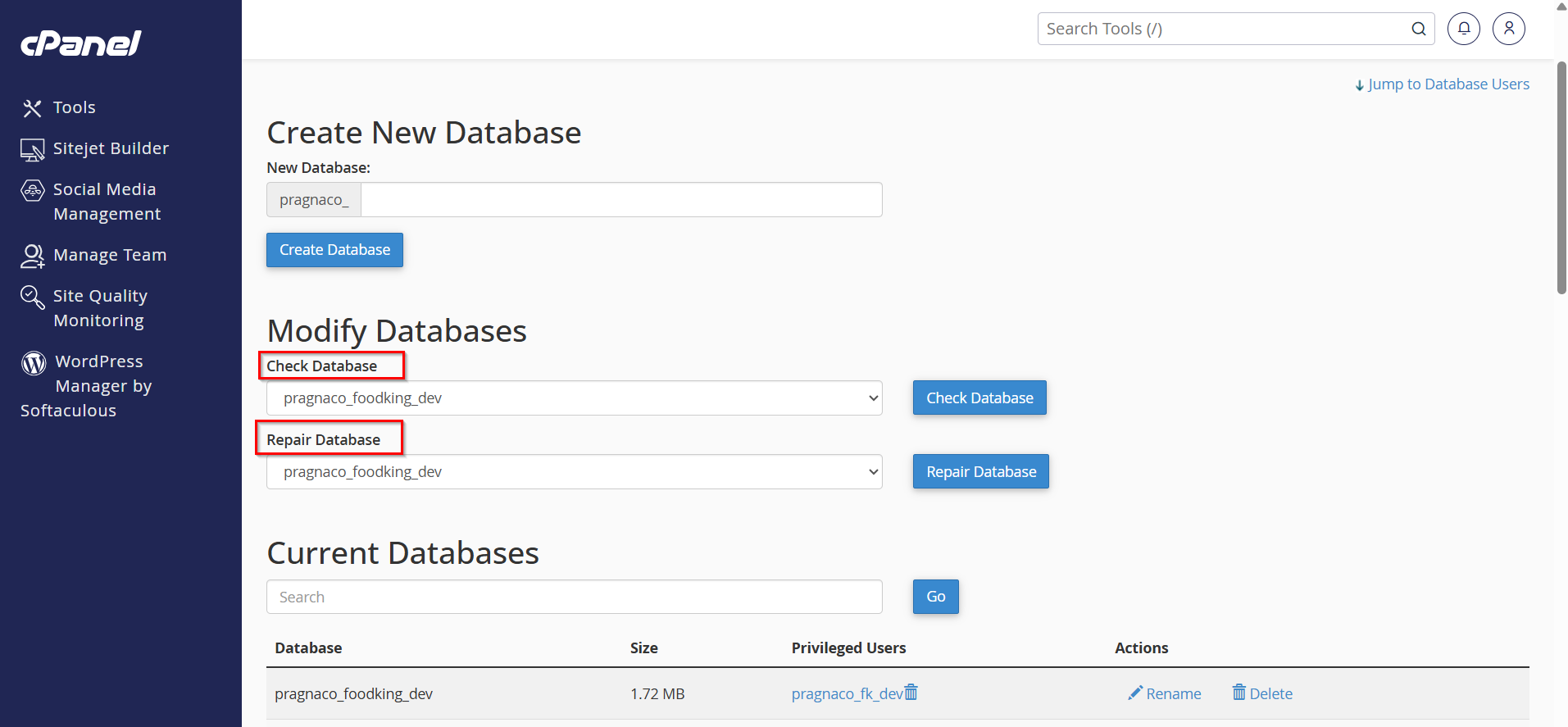
Step 4: Select the Database
Choose the database you want to repair from the Repair Database dropdown menu.

Step 5: Click Repair Database
After selecting the database, click the Repair Database button.
cPanel will begin scanning and repairing any issues found within the database tables.

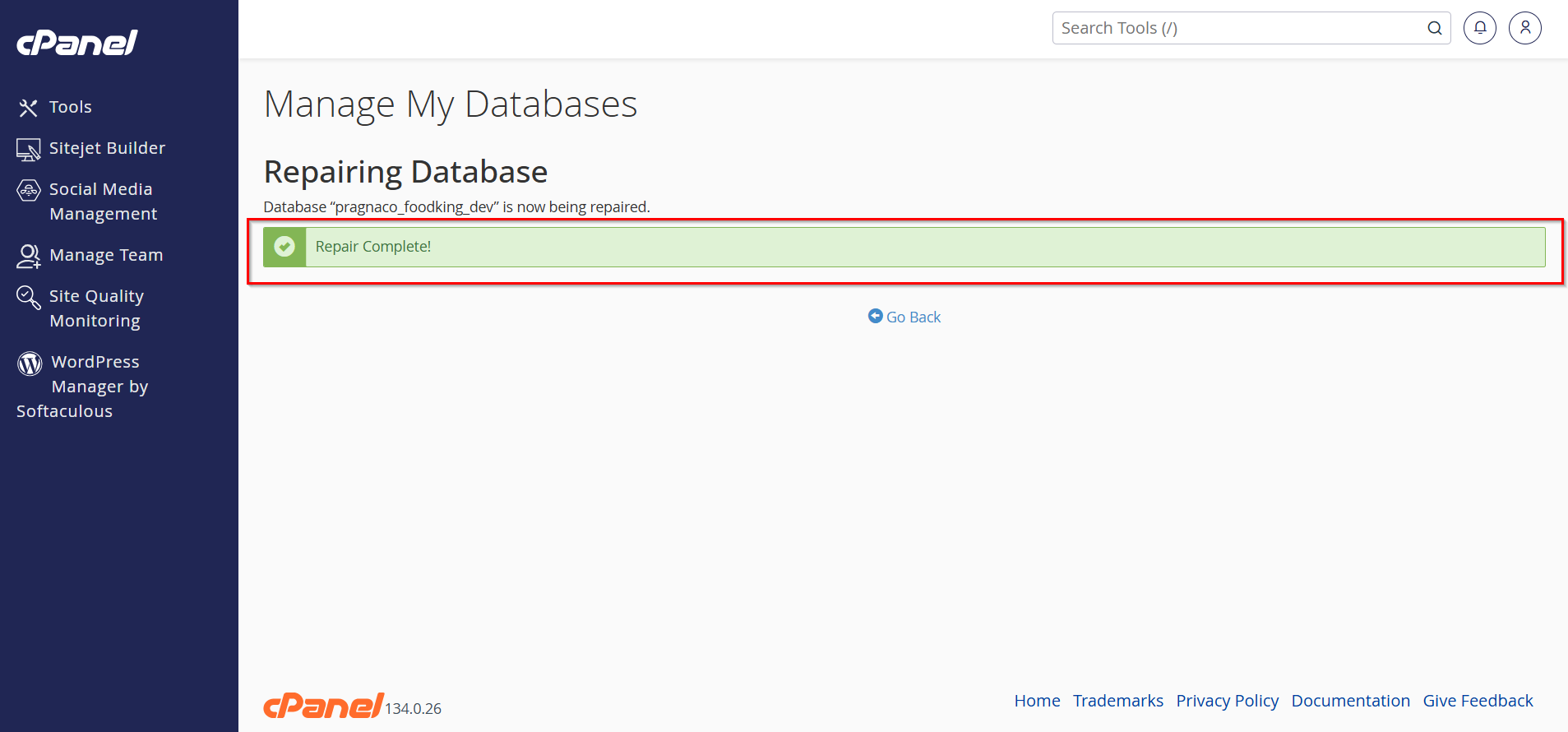
Step 6: Review the Results
Once the repair process is complete, cPanel will display the results for each table.
You may see messages such as:
-
OK
-
Table repaired
-
Repair completed successfully
If all tables are repaired successfully, your database should be functioning normally again.
Why to Repair a MySQL Database?
Repairing a database can help:
-
Fix corrupted database tables
-
Restore website functionality
-
Resolve database connection errors
-
Improve database performance
-
Prevent data inconsistencies
- Recover from server or application crashes
When Should You Repair a MySQL Database?
You may need to repair your database if you notice:
-
"Database Error" messages on your website
-
Missing website content
-
WordPress database connection errors
-
Slow-loading pages caused by database issues
-
Corrupted tables detected during a database check
Benefits of Repairing a MySQL Database via cPanel
1. Restores Website Functionality
Repairing a corrupted database can quickly bring your website back online and resolve database-related errors.
2. Fixes Corrupted Tables
The repair process detects and repairs damaged database tables, helping maintain data integrity.
3. Improves Website Performance
Repairing database issues can optimize query execution and improve overall website speed.
4. Prevents Data Inconsistencies
A repaired database helps ensure that website data remains accurate, complete, and reliable.
5. Easy and User-Friendly Process
cPanel provides a simple interface that allows users to repair databases without advanced technical knowledge or command-line access.
Conclusion
Repairing a MySQL database through cPanel is a quick and effective way to fix database corruption and restore website functionality. By using the built-in Repair Database tool, website owners can resolve many common database issues without advanced technical knowledge. Regular backups and routine database maintenance can help prevent future problems and keep your website running smoothly.