How to Set Email Quota in cPanel
Managing email storage is an important part of maintaining your hosting account. cPanel allows you to set an email quota for each email account, helping you control disk usage and prevent individual mailboxes from consuming excessive server resources.
This guide explains how to set or modify the email quota for an email account in cPanel.
What Is an Email Quota?
An email quota is the maximum amount of disk space allocated to an email account. Once the mailbox reaches its quota limit, it can no longer receive new emails until space is freed or the quota is increased.
Setting appropriate email quotas helps:
-
Manage server storage efficiently.
-
Prevent mailboxes from becoming overloaded.
-
Control resource usage across multiple users.
-
Reduce the risk of email delivery issues caused by full mailboxes.
-
Improve overall account organization.
Steps to Set Email Quota in cPanel
Step 1: Login to cPanel from Client Area
First, login to your client area account.
After logging in:
- Go to Services
- Click on My Services
- Select your active hosting service
- Click on Login to cPanel

Step 2: Open Email Accounts
In the Email section, click Email Accounts.

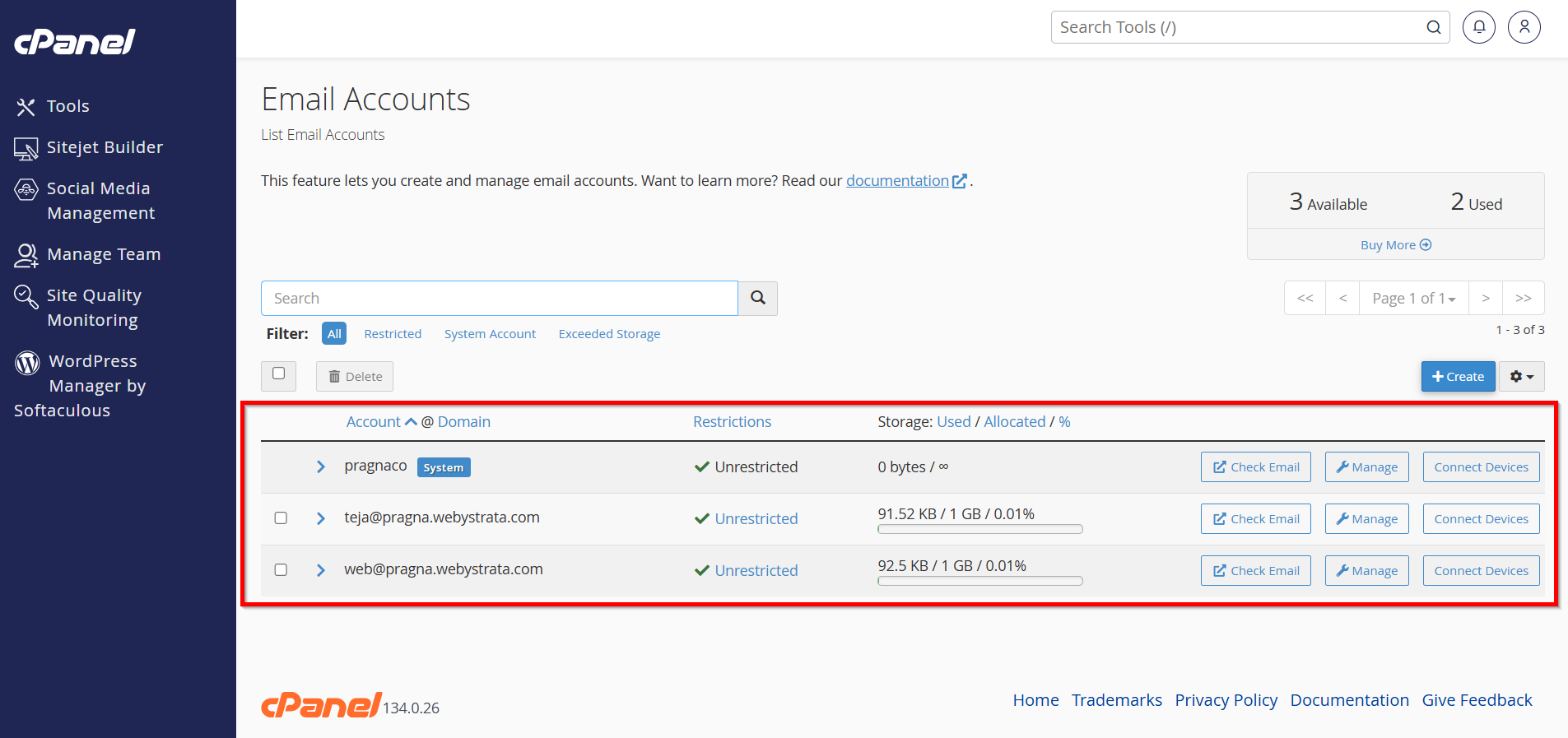
Step 3: Locate the Email Account
Find the email account for which you want to set or change the quota.
Step 4: Manage the Email Account
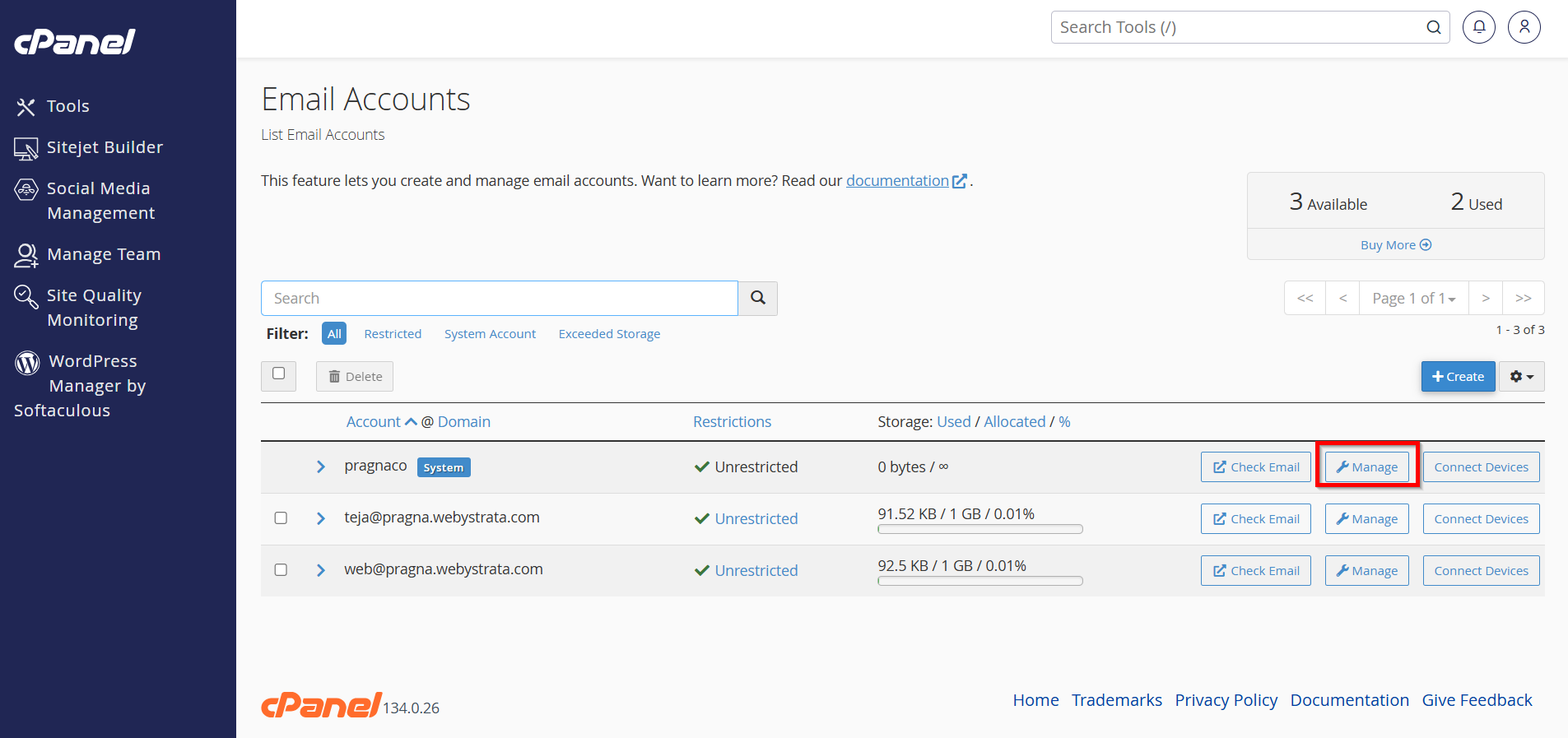
Click the Manage button next to the selected email account.
Step 5: Configure the Storage Space
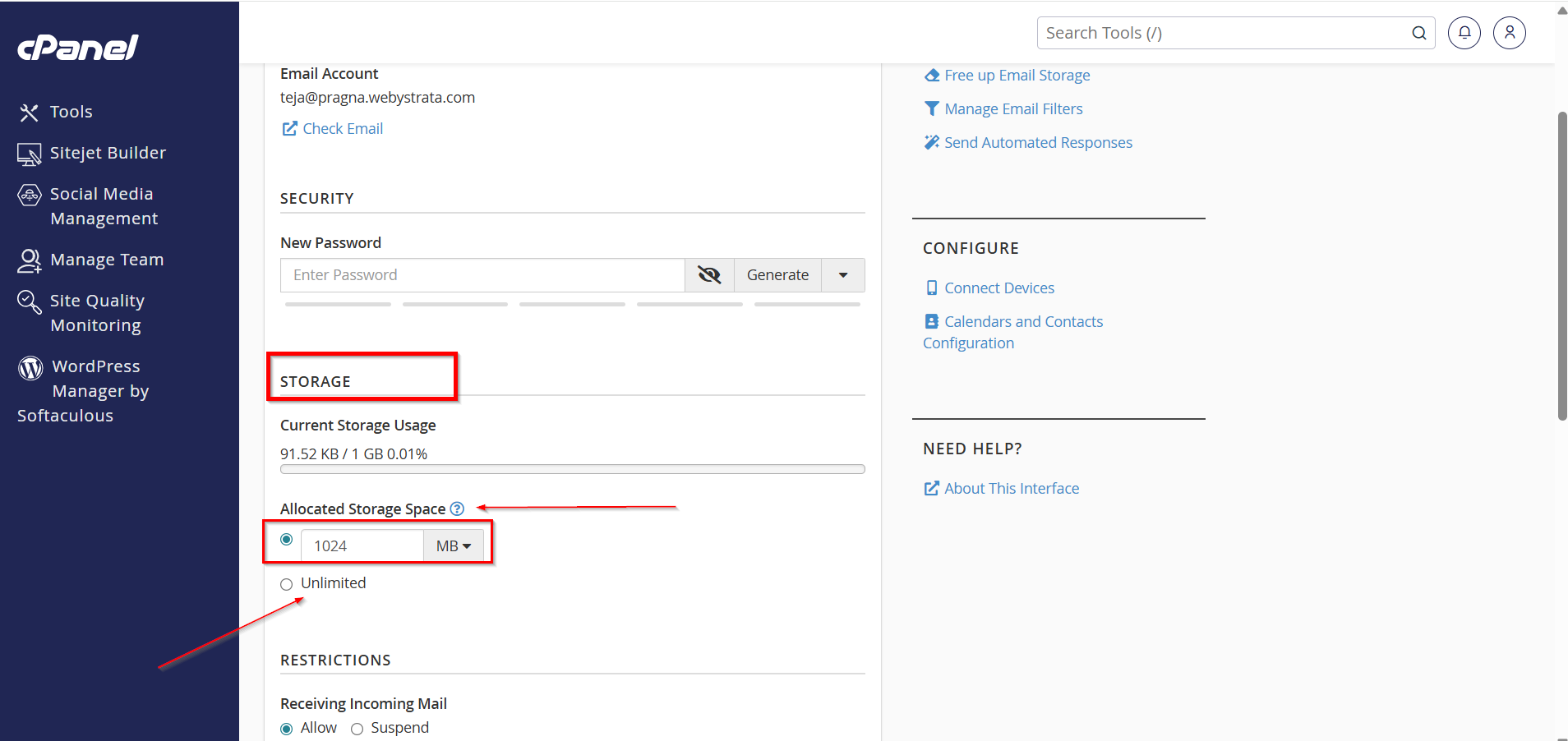
Under the Storage section, you will see the current quota settings.
You can choose one of the following options:
-
Unlimited – Allows the mailbox to use all available disk space within your hosting account.
-
Custom Size – Specify a storage limit in MB, GB, or another available unit.
Enter the desired quota value.
Step 6: Save the Changes
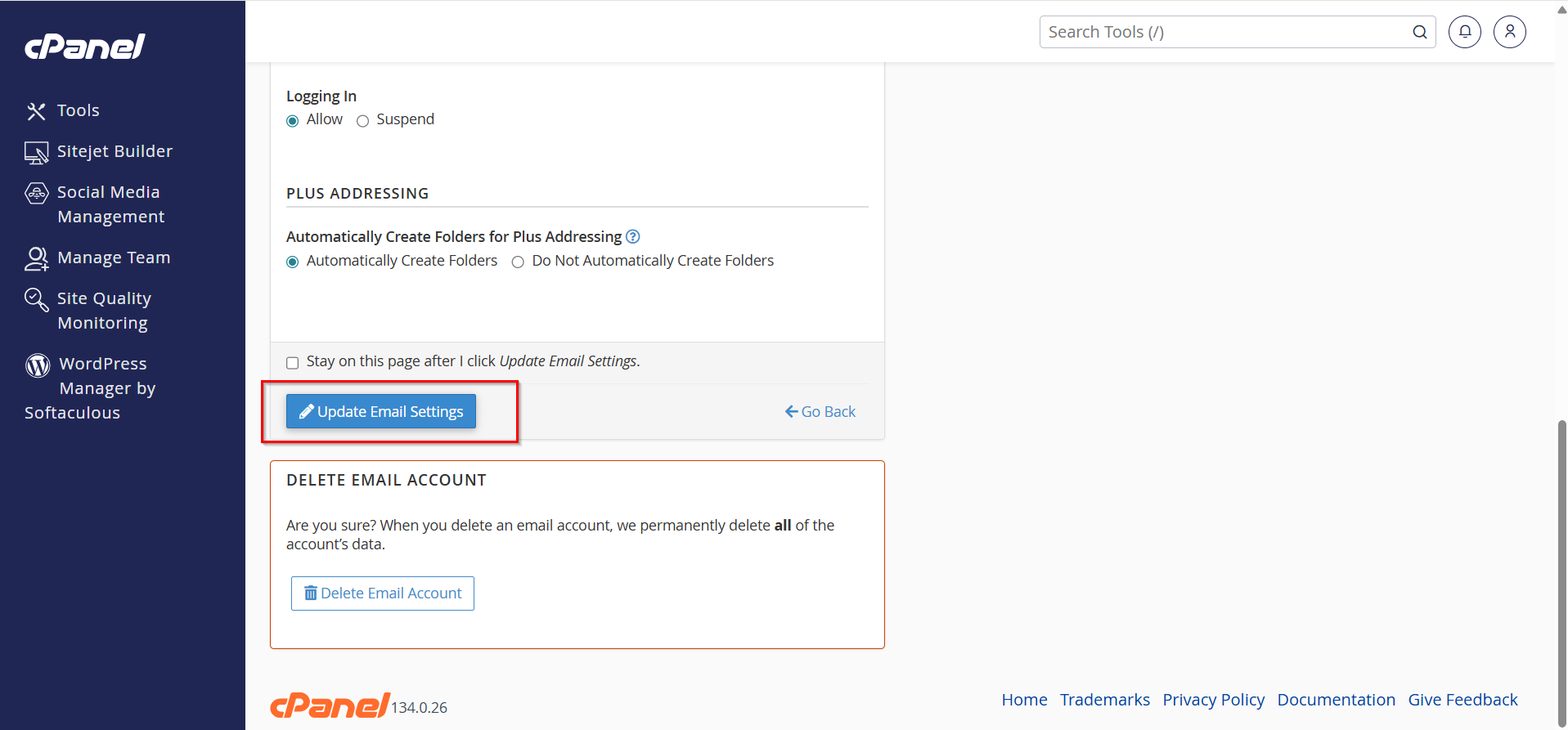
Click Update Email Settings to apply the new quota.
The mailbox will immediately begin using the updated storage limit.
How to Check Mailbox Usage
To monitor mailbox storage usage:
-
Navigate to Email Accounts in cPanel.
-
Review the Storage Used column.
-
Compare current usage against the configured quota.
This helps identify accounts that may require additional storage or mailbox cleanup.
Benefits of Setting Email Quotas in cPanel
Setting email quotas in cPanel is a simple yet effective way to manage email storage and maintain smooth email operations. By assigning appropriate mailbox limits and monitoring usage regularly, you can prevent storage-related issues and ensure reliable email communication for all users on your hosting account.