How to Remove a Domain Name from cPanel
Managing domains is an essential part of website administration. Over time, you may need to remove a domain name from your cPanel account due to website migration, domain expiration, project closure, or account cleanup. Fortunately, cPanel provides a straightforward way to remove domains while maintaining control over your hosting environment.
This guide explains how to safely remove a domain name from cPanel and outlines important precautions you should take before proceeding.
Important Things to Know Before Removing a Domain
Before removing a domain from cPanel, keep the following points in mind:
Backup Your Website
Always create a complete backup of:
- Website files
- Databases
- Email accounts
- DNS records
This ensures you can restore the website if needed.
How to Remove a Domain Name from cPanel
Follow these steps:
Step 1: Login to cPanel from Client Area
First, login to your client area account.
After logging in:
- Go to Services
- Click on My Services
- Select your active hosting service
- Click on Login to cPanel

Step 2: Open the Domains Section
Scroll to the Domains section and click Domains.
You will see a list of all domains associated with your hosting account.

Step 3: Locate the Domain
Find the domain you want to remove from the list.
Review the domain carefully to avoid removing the wrong website.

Step 4: Click Manage
Next to the domain, click Manage.
This opens the domain management settings.

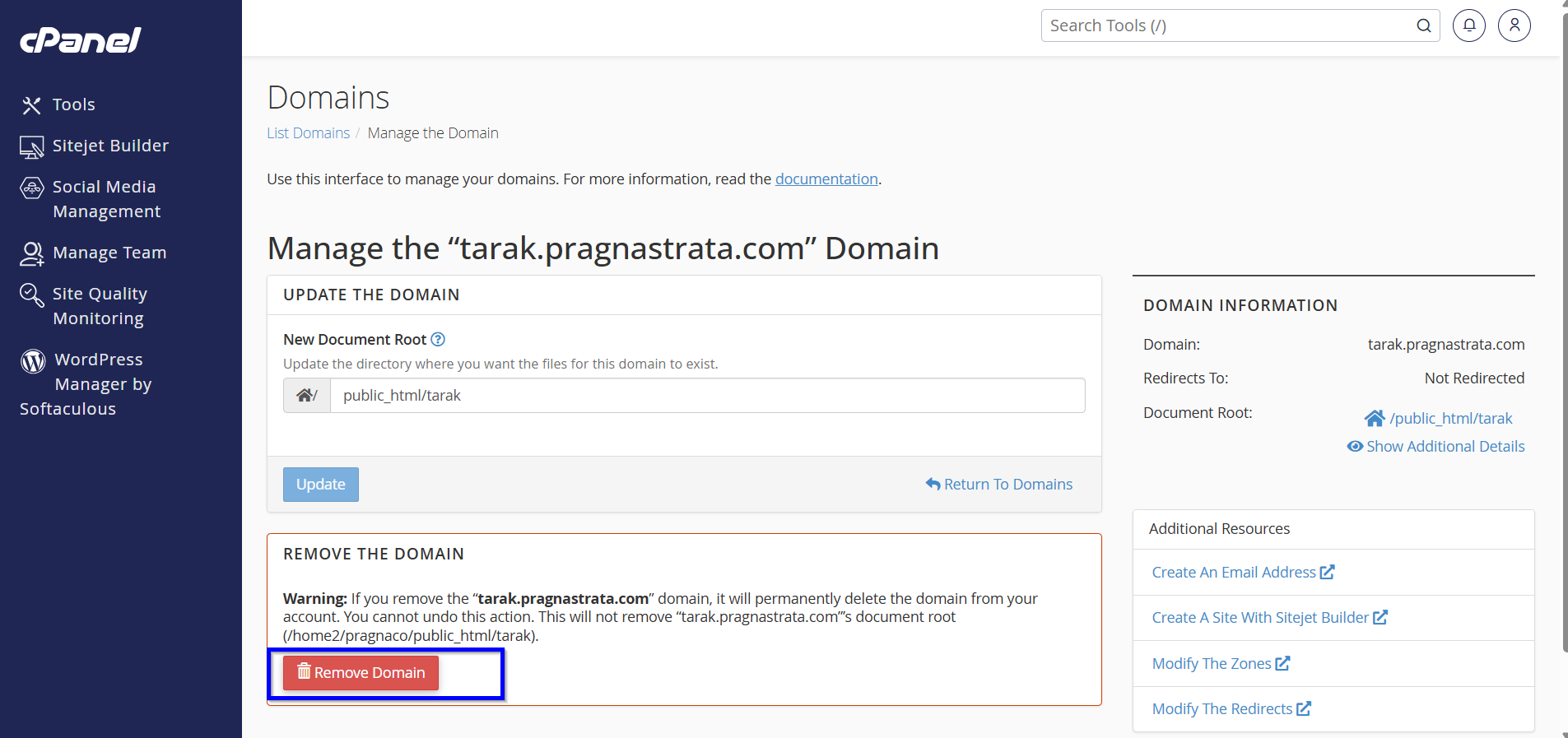
Step 5: Remove the Domain
Look for the Remove Domain or Delete option.
Click it to begin the removal process.
Step 6: Confirm Removal
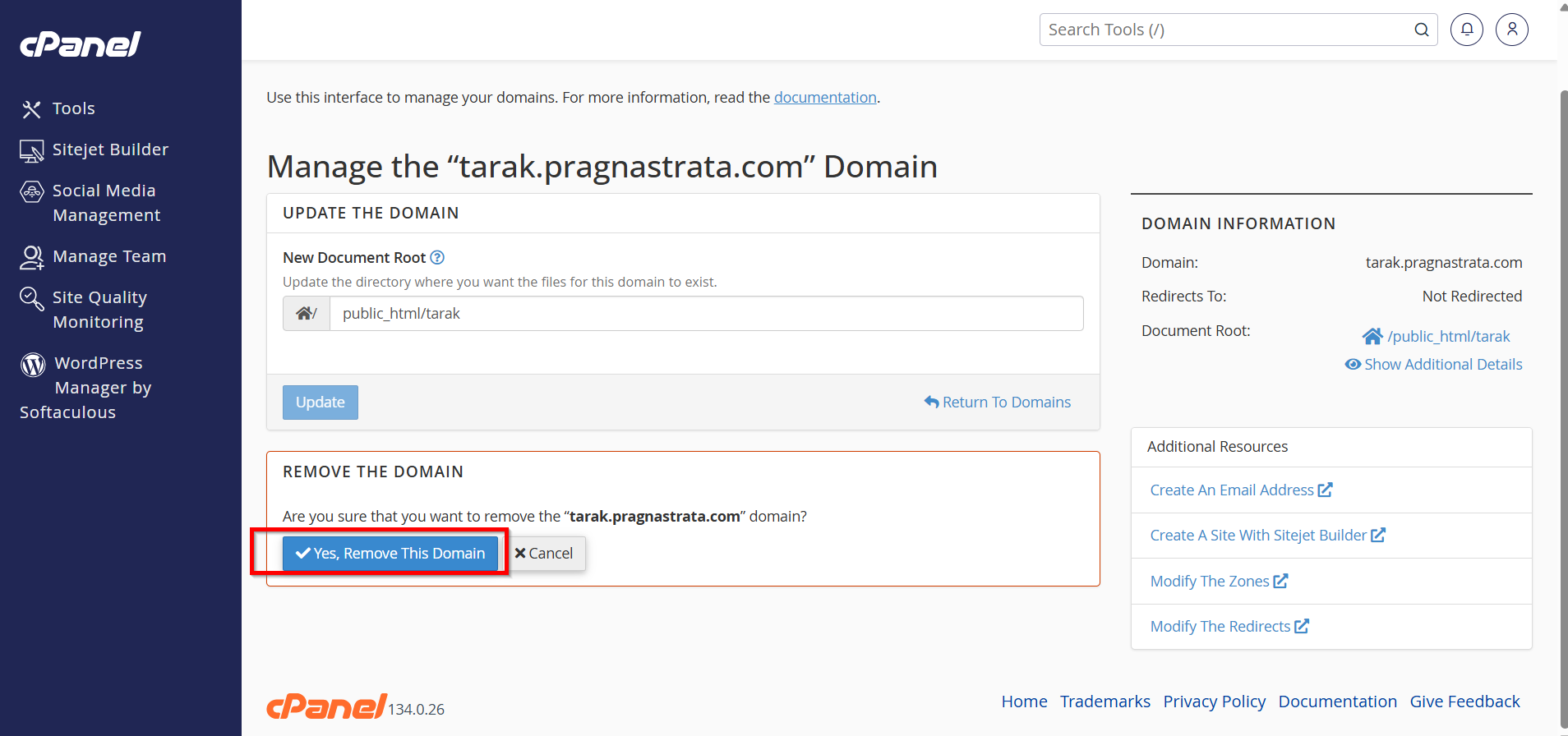
cPanel will display a confirmation message.
Read the warning carefully and confirm the deletion.
Step 7: Verify Successful Removal
After confirmation:
- The domain will disappear from the domain list.
- Associated website routing will stop.
- The domain will no longer function through that hosting account.

Why to Remove a Domain Name from cPanel?
There are several reasons why website owners choose to remove domains from their hosting accounts:
- The domain is no longer in use.
- The website has been migrated to another hosting provider.
- You want to free up hosting resources.
- The domain was added by mistake.
- You are reorganizing multiple websites.
- The domain has expired and will not be renewed.
- You want to improve account organization and security.