How to Add and Delete CNAME Records in cPanel
A CNAME (Canonical Name) record is a type of DNS record that points one domain or subdomain to another domain name instead of directly pointing to an IP address. It is commonly used for aliases such as www, mail services, or connecting third-party platforms.
In cPanel, managing CNAME records is simple through the Zone Editor feature. This guide explains how to add and delete CNAME records step by step.
How to Add a CNAME Record in cPanel
Step 1: Login to cPanel from Client Area
First, login to your client area account.
After logging in:
- Go to Services
- Click on My Services
- Select your active hosting service
- Click on Login to cPanel

Step 2: Open the Zone Editor
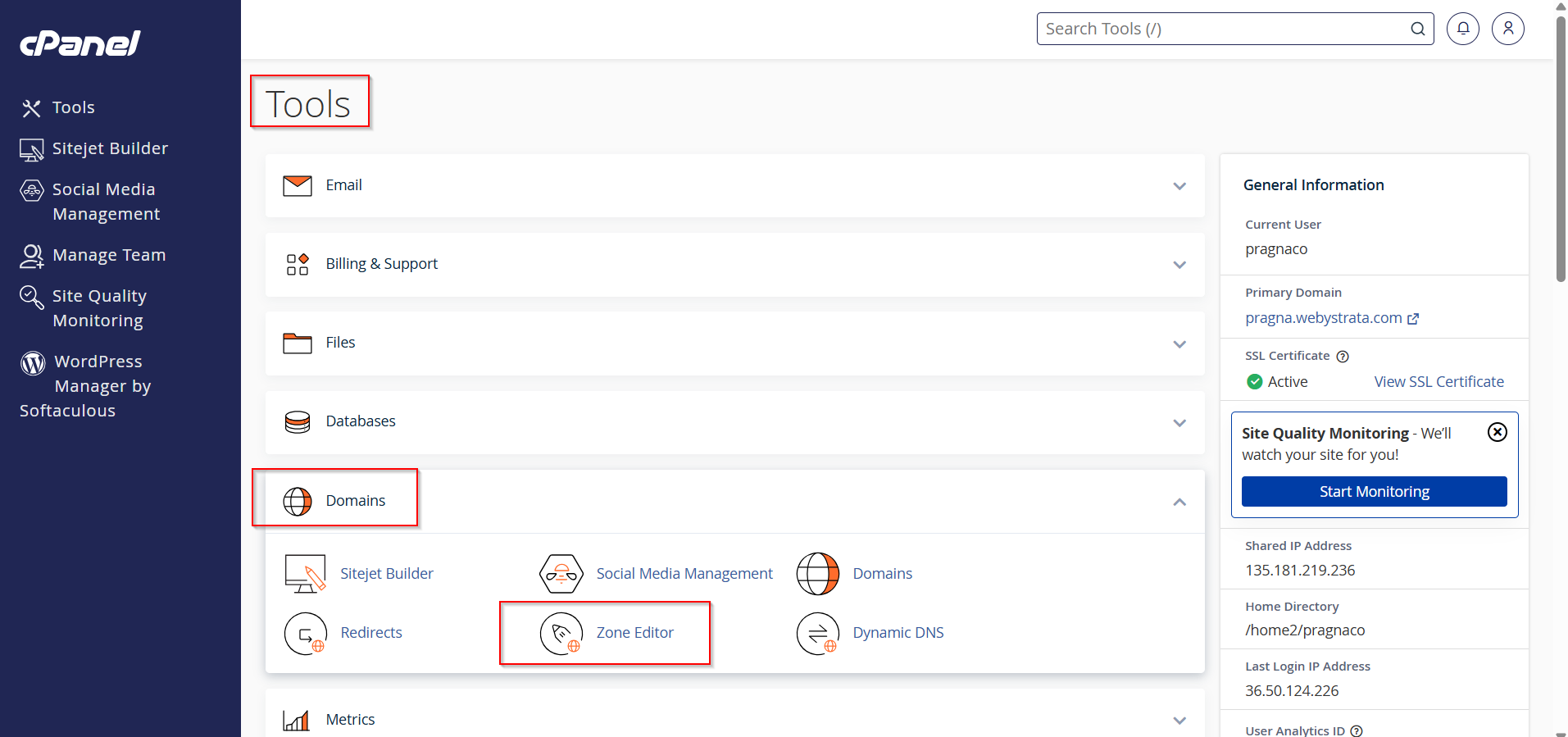
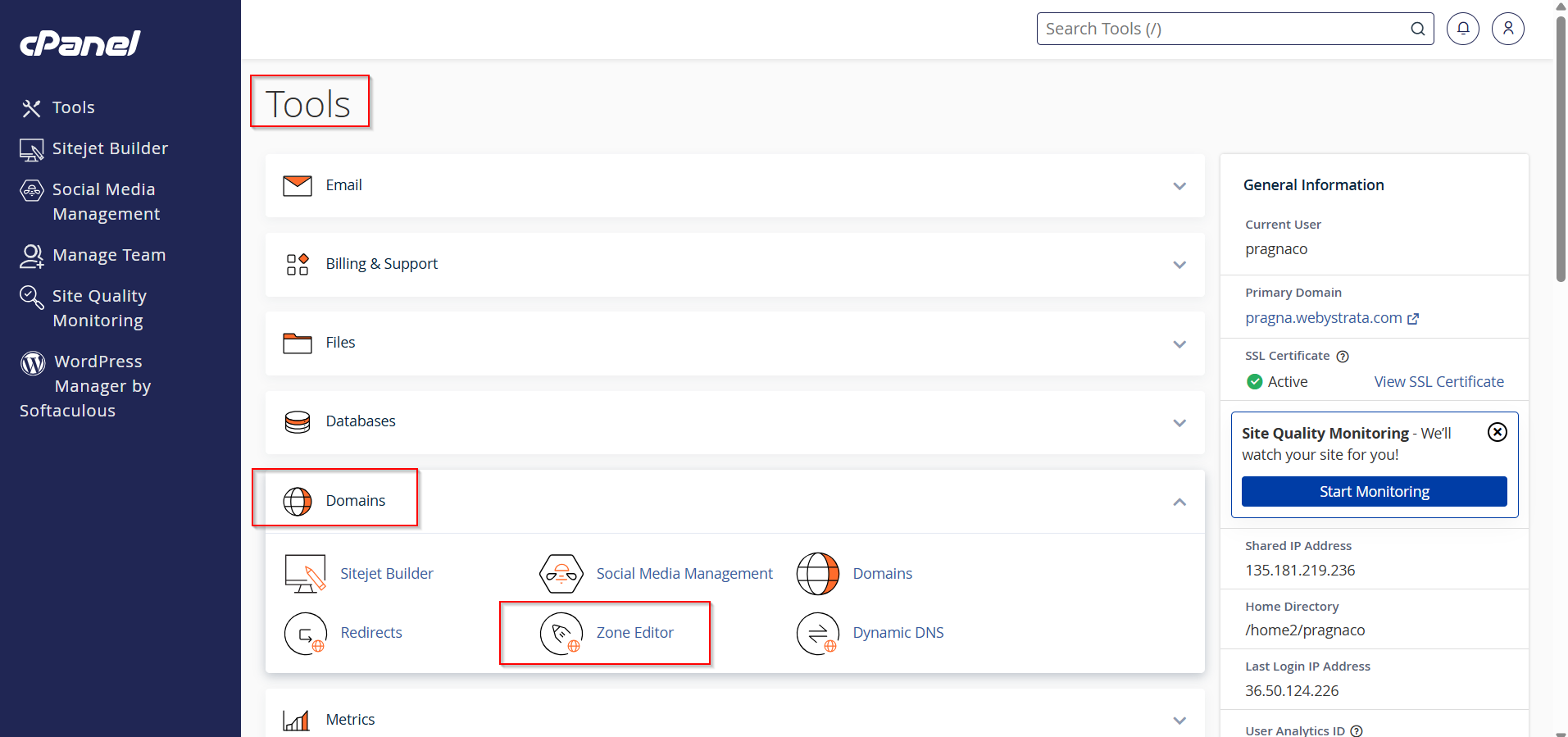
Inside cPanel, scroll to the Domains section.
Click on Zone Editor.
Step 3: Select the Domain
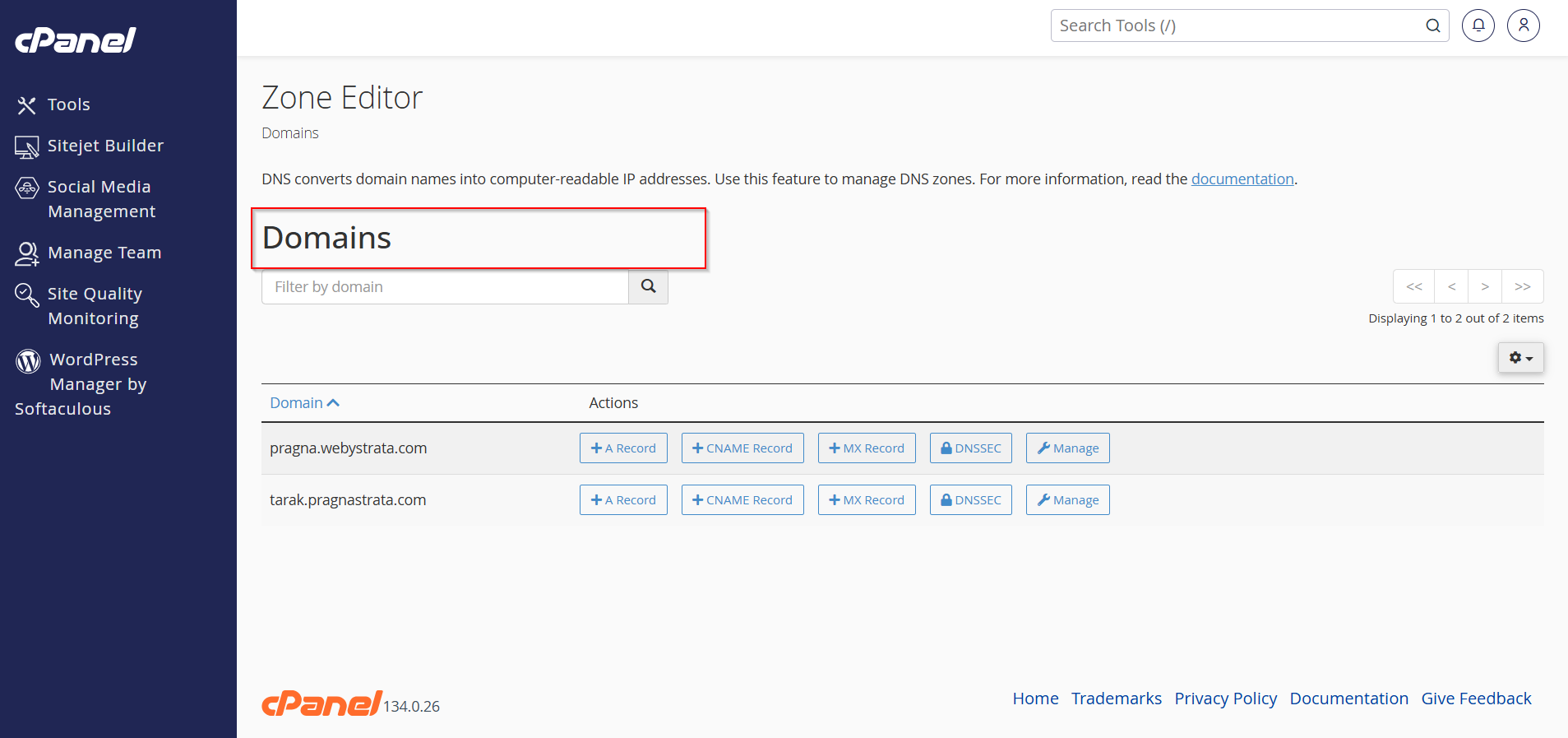
You will see a list of domains available in your hosting account.
Step 4: Add a New CNAME Record
Method 1: Using the "+ CNAME Record" Button (Quick Method)
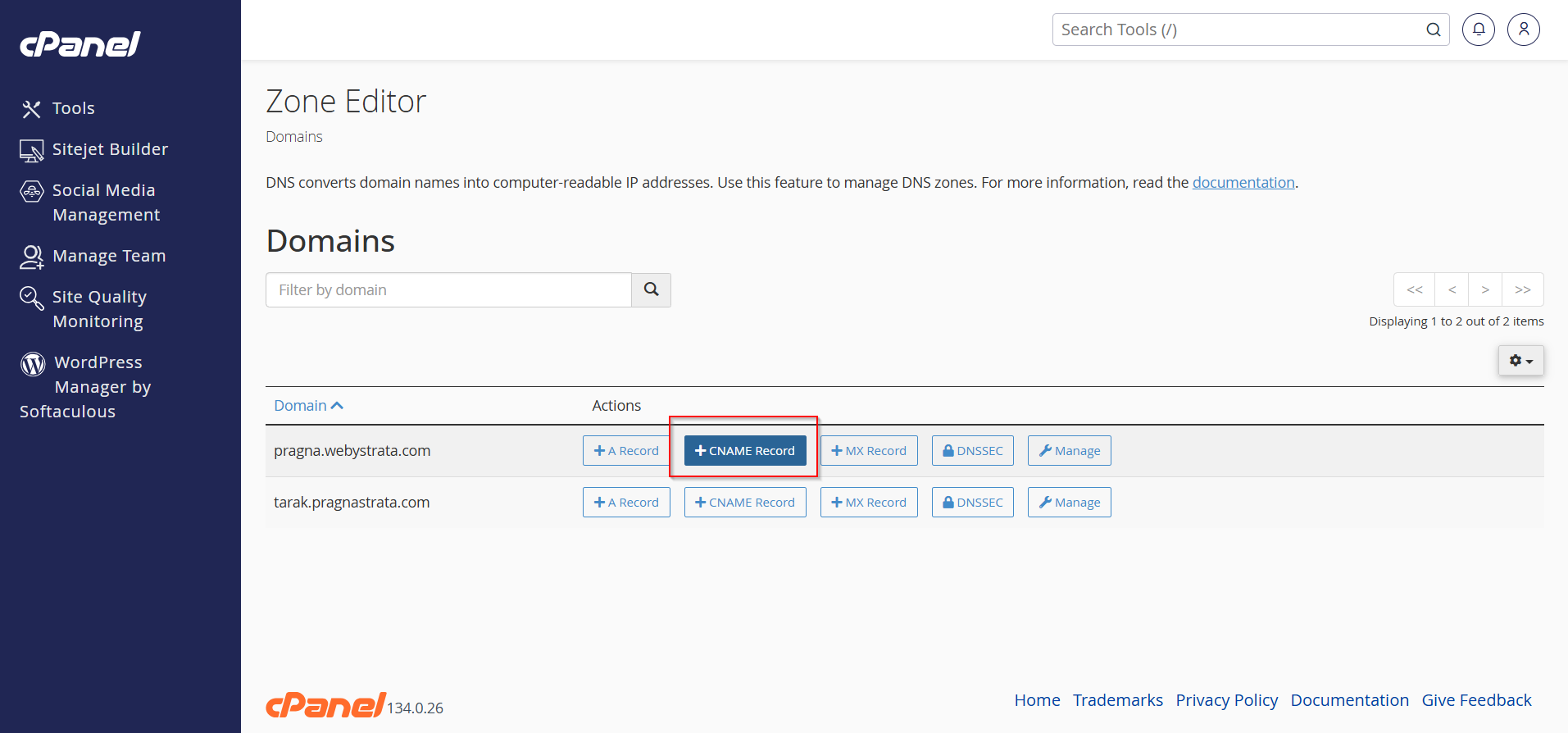
- Click the + CNAME Record button beside the domain.
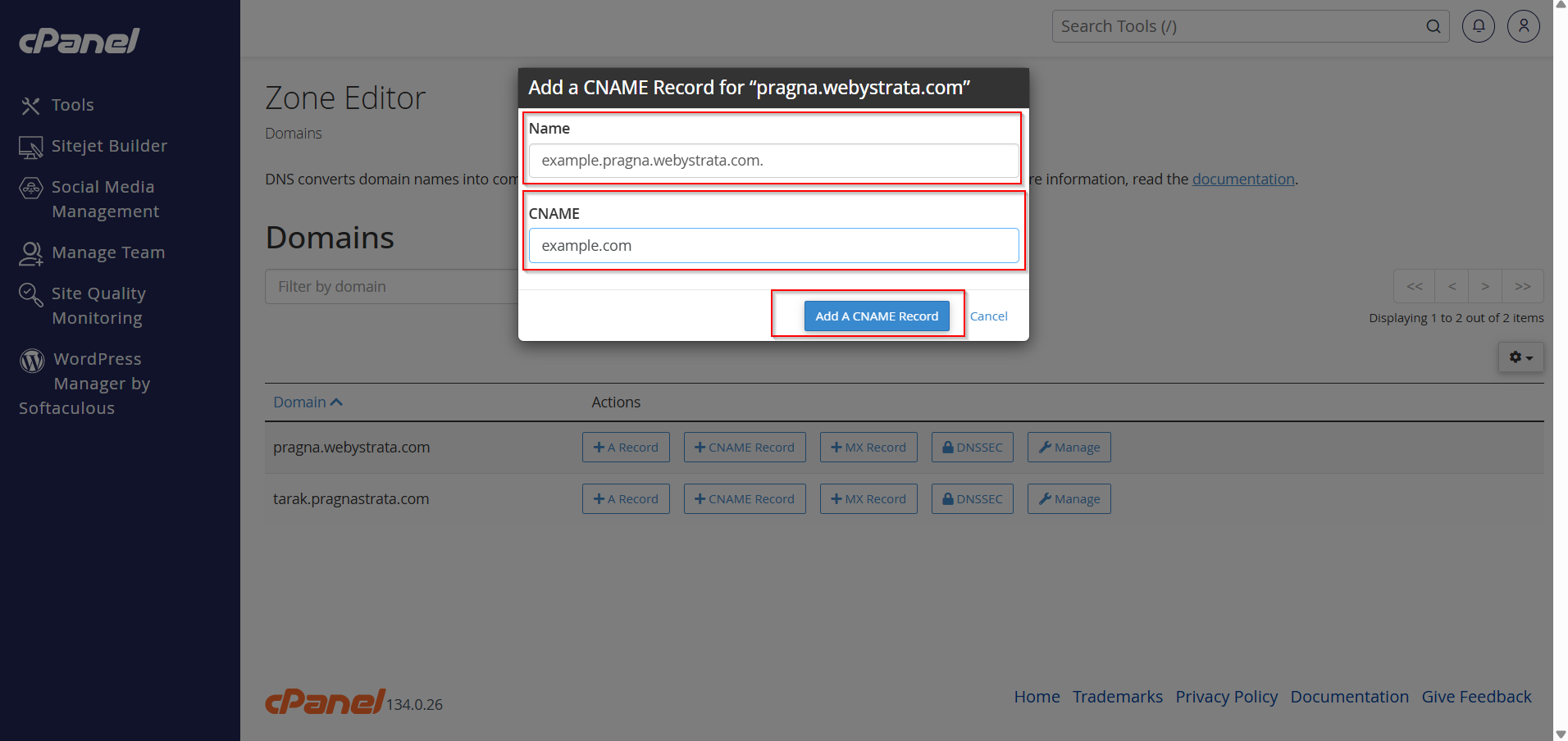
2. Enter:
- Name: The subdomain or alias (e.g.,
blog) - CNAME: The target domain name (e.g.,
example.com)
3. Click Add A CNAME Record
The record will be created immediately.
Method 2: Using the Manage Option
- Find your domain and click Manage.
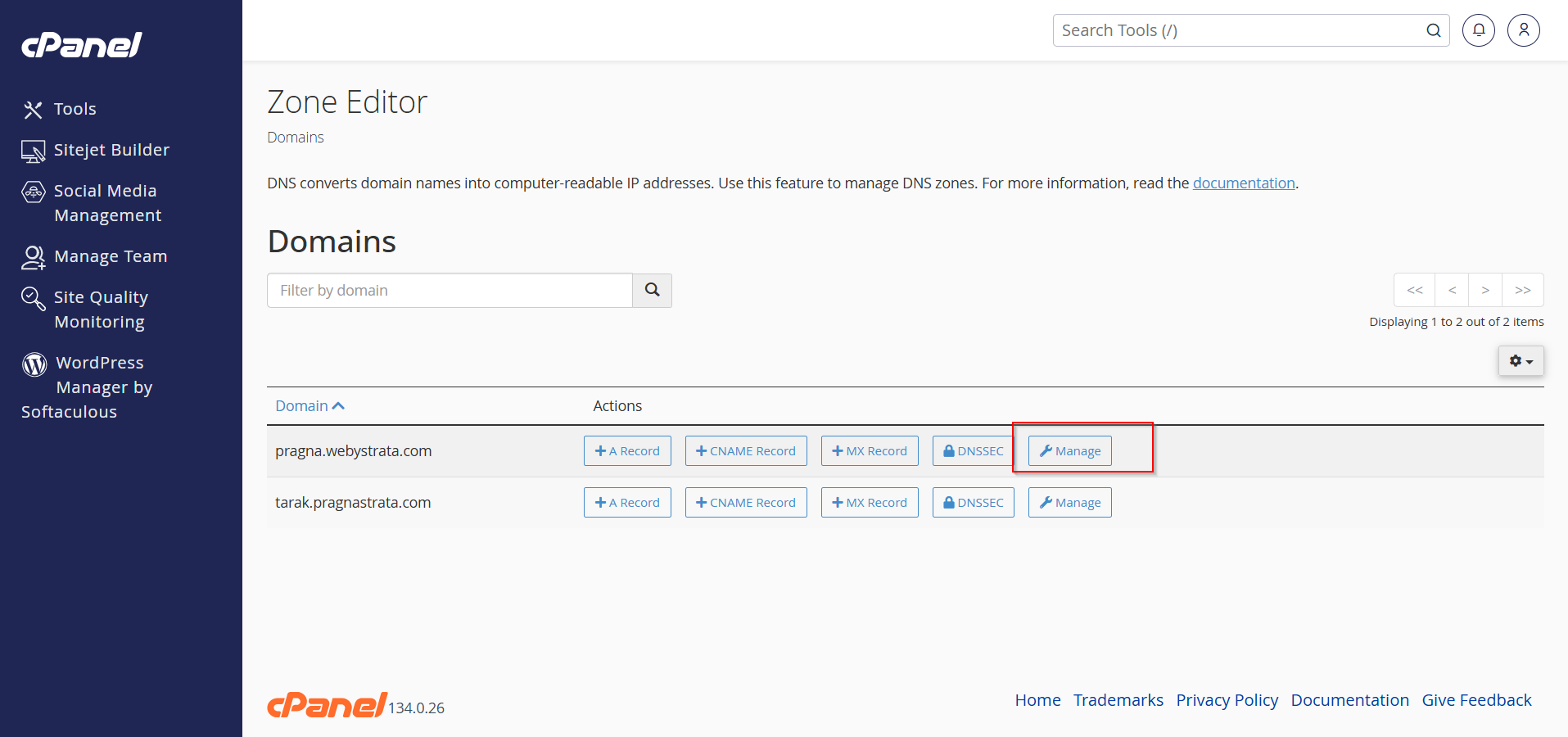
2. Click Add Record

3. Enter the required details. Like
- Name
- TTL (optional)
- Type
- Record
4. Click Save the record.

How to Delete a CNAME Record in cPanel
Step 1: Open Zone Editor
Log in to cPanel and go to Zone Editor under the Domains section.
Step 2: Manage the Domain
Locate the domain containing the CNAME record.
Click Manage.

Step 3: Find the CNAME Record
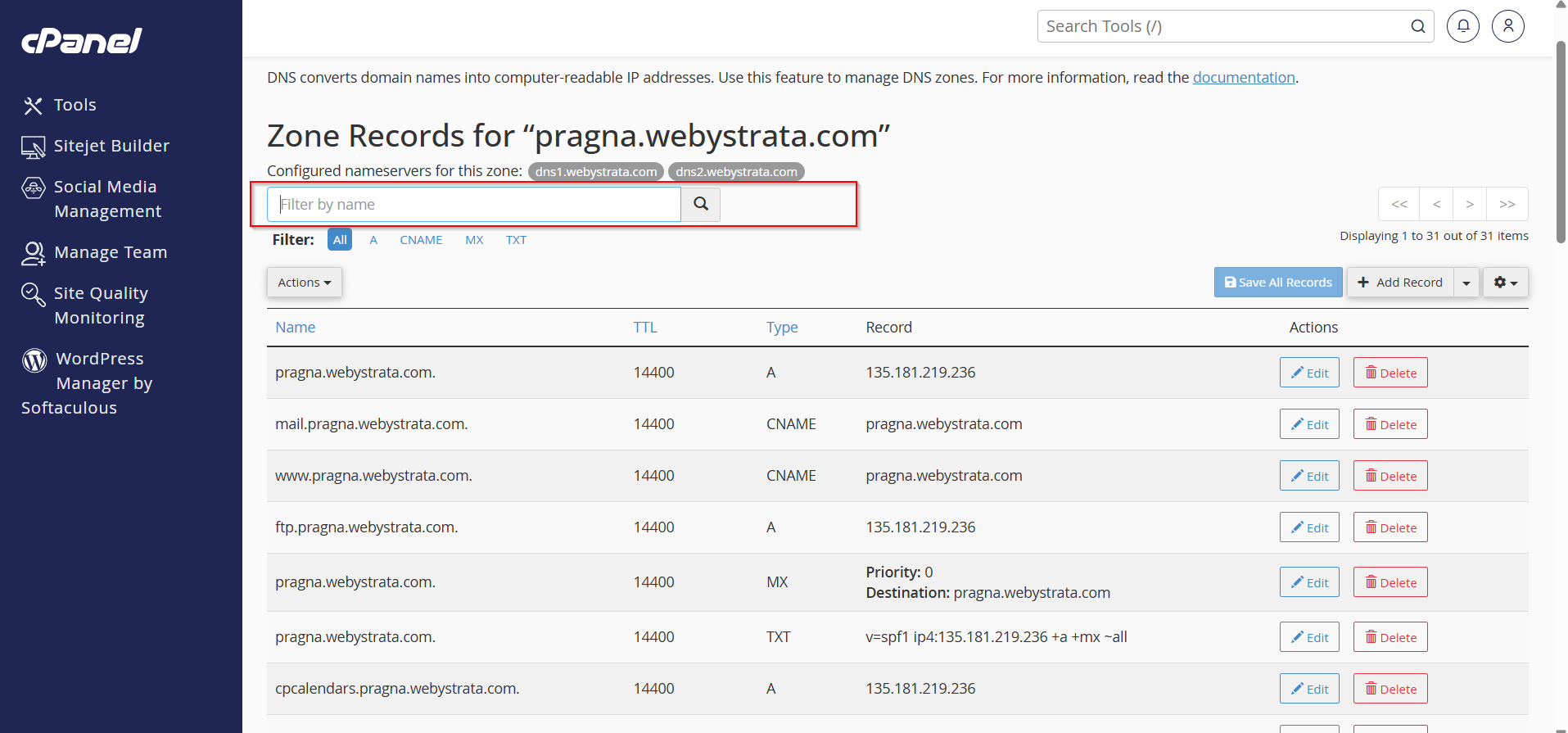
Scroll through the DNS records list or use the search/filter option.
Locate the CNAME record you want to remove.
Step 4: Delete the Record
- Click the Delete option next to the CNAME record.

- A confirmation message may appear.
- Continue the deletion.

Step 5: Verify Changes
After deletion, the record will be removed from the DNS zone.
Allow some time for DNS propagation if the record was actively being used.
Important Notes About CNAME Records
-
A CNAME record cannot coexist with another record type on the same hostname.
-
CNAME records point to domain names, not IP addresses.
-
DNS changes may require propagation time.
-
Incorrect CNAME settings can affect website or email services.
Common Uses of CNAME Records
-
Pointing
wwwto the main domain -
Connecting domains to third-party services
-
Setting up custom domains for SaaS platforms
-
Creating aliases for subdomains
Conclusion
Managing CNAME records in cPanel is a quick and essential task for domain management. By using the Zone Editor, you can easily add new CNAME records or remove outdated ones whenever needed. Always double-check the destination hostname before saving DNS changes to avoid service interruptions.