How To Set And Manage Email Forwarders In cPanel
Managing emails efficiently is essential for every business and website owner. cPanel provides an easy way to configure email forwarders, allowing you to automatically redirect emails from one email account to another. Using the Forwarders feature in cPanel, you can create forwarding rules that send incoming emails from a specific address directly to another email account.
This feature is especially useful for businesses that want to manage multiple email accounts from a single inbox or create professional email aliases without checking several mailboxes separately.
How To Add An Email Forwarder In cPanel
Follow the steps below to create and manage email forwarders in cPanel.
Step 1: Log In To Your cPanel Account
First, log in to your cPanel hosting account using your credentials.
Once logged in:
-
Navigate to the Email section
-
Click on Forwarders

Step 2: Open The Forwarders Section
Inside the Forwarders page, locate the Create an Email Account Forwarder option.
Now click on the Add Forwarder button to continue.

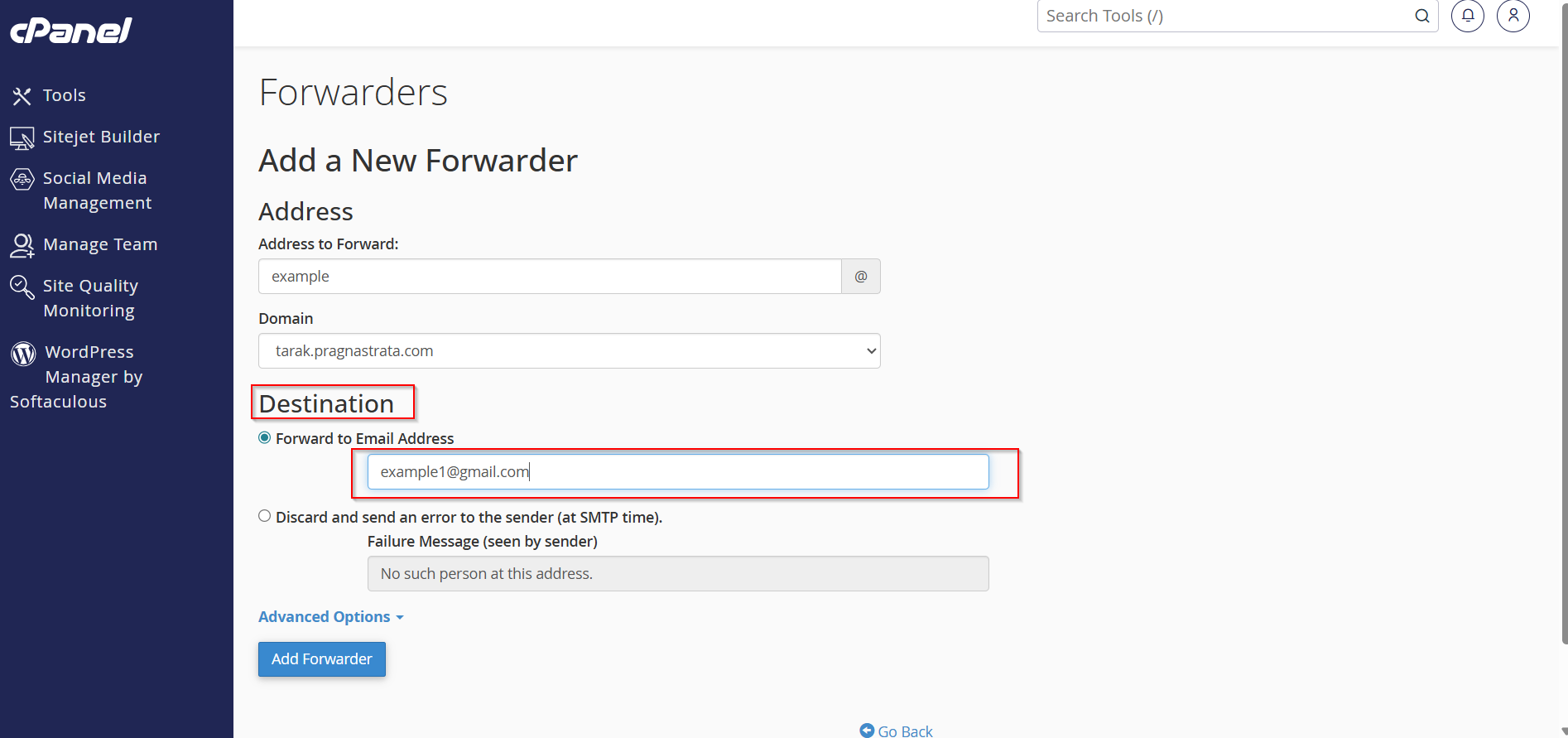
Step 3: Enter The Email Address
In the first field:
-
Enter the email account name you want to forward emails from
Example:
-
support -
info -
sales
Then select your domain name from the dropdown menu.

Step 4: Choose The Destination Email Address
Next, enter the destination email address where you want all incoming emails to be forwarded.
Example:
-
yourgmail@gmail.com
You can also choose to return a failure message if the forwarding process fails.
Step 5: Click On “Add Forwarder”
After entering all required details:
-
Click the Add Forwarder button
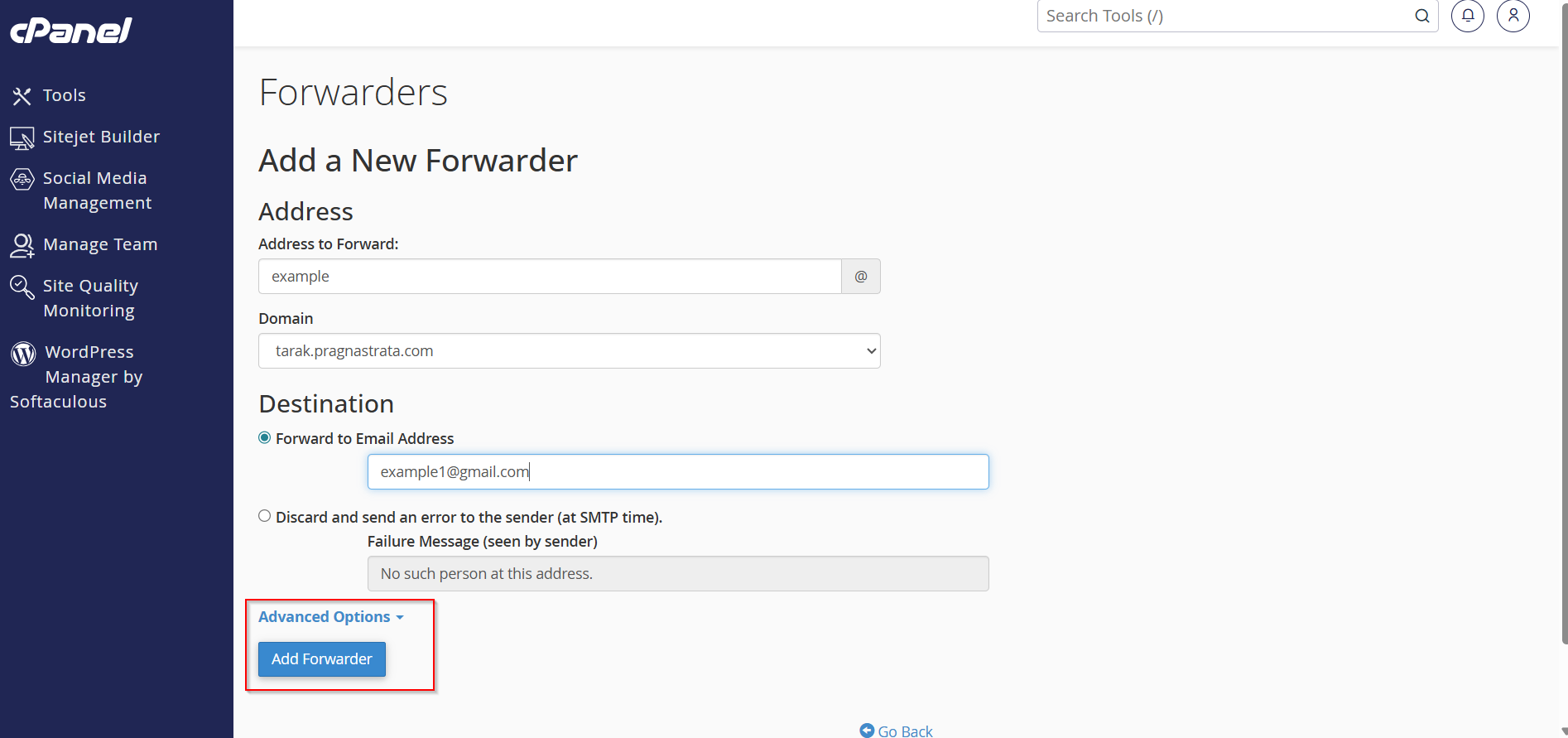
Your email forwarder will now become active immediately.
All emails received on the selected email address will automatically be redirected to the destination inbox.
Step 6: Delete Or Manage Forwarders
To remove a forwarder:
-
Go back to the Forwarders section
-
Locate the created forwarder
-
Click the Delete button
You can manage all your email forwarding settings from this section anytime.

Benefits Of Using Email Forwarders
Email forwarders offer several advantages, including:
-
Managing multiple email accounts easily
-
Creating professional business email aliases
-
Receiving all emails in one inbox
-
Never missing important messages
-
Simplifying email communication for teams and businesses
Conclusion
Setting up and managing email forwarders in cPanel is a quick and simple process that helps streamline email communication. Whether you want to redirect business emails, create professional aliases, or manage multiple inboxes efficiently, cPanel forwarders provide a reliable solution.
With a reliable hosting provider and cPanel access, managing your website emails becomes much easier and more professional.