How to Configure Invoice Settings in WHMCS
Invoice Settings in WHMCS allow you to control how invoices are generated, delivered, numbered, taxed, and managed within your billing system. Proper configuration ensures accurate billing, professional invoicing, and a smooth payment experience for your clients.
Whether you operate a web hosting company, domain registrar, managed service provider, or SaaS business, correctly configuring Invoice Settings in WHMCS is essential for maintaining organized financial records and improving customer satisfaction.
Why Configure Invoice Settings in WHMCS?
Invoice Settings directly affect how your clients receive and pay invoices. Proper configuration helps you:
-
Automate invoice generation
-
Maintain consistent invoice numbering
-
Improve payment collection efficiency
-
Comply with local tax regulations
-
Reduce billing errors
-
Provide professional financial documentation
-
Enhance customer trust and transparency
By optimizing Invoice Settings in WHMCS, you can streamline your billing operations and reduce administrative workload.
Accessing Invoice Settings in WHMCS
Follow these steps to access Invoice Settings:
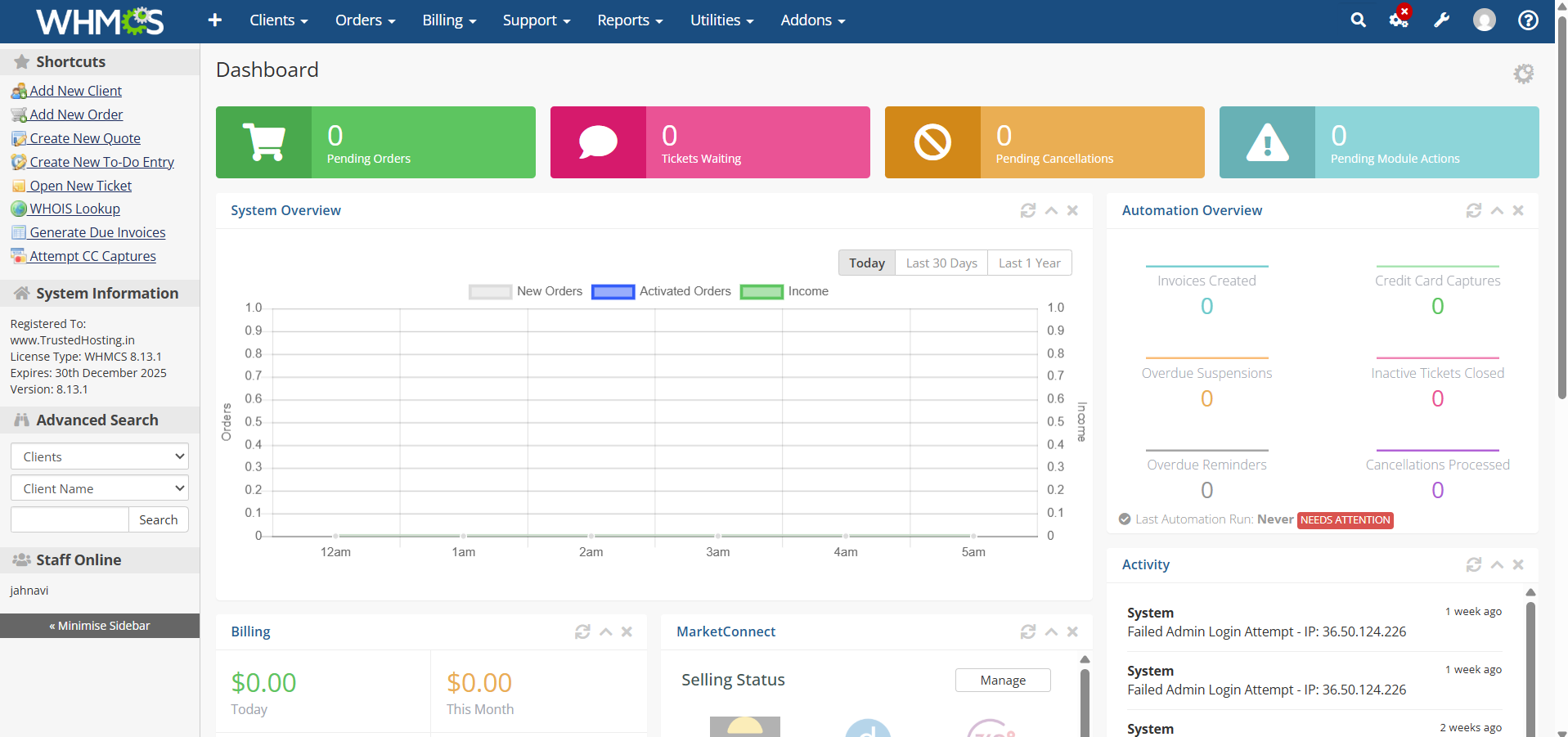
Step 1: Log in to WHMCS Admin Area
Access your WHMCS administration dashboard using your administrator credentials.
Step 2: Open General Settings
Navigate to:
Configuration Icon → System Settings
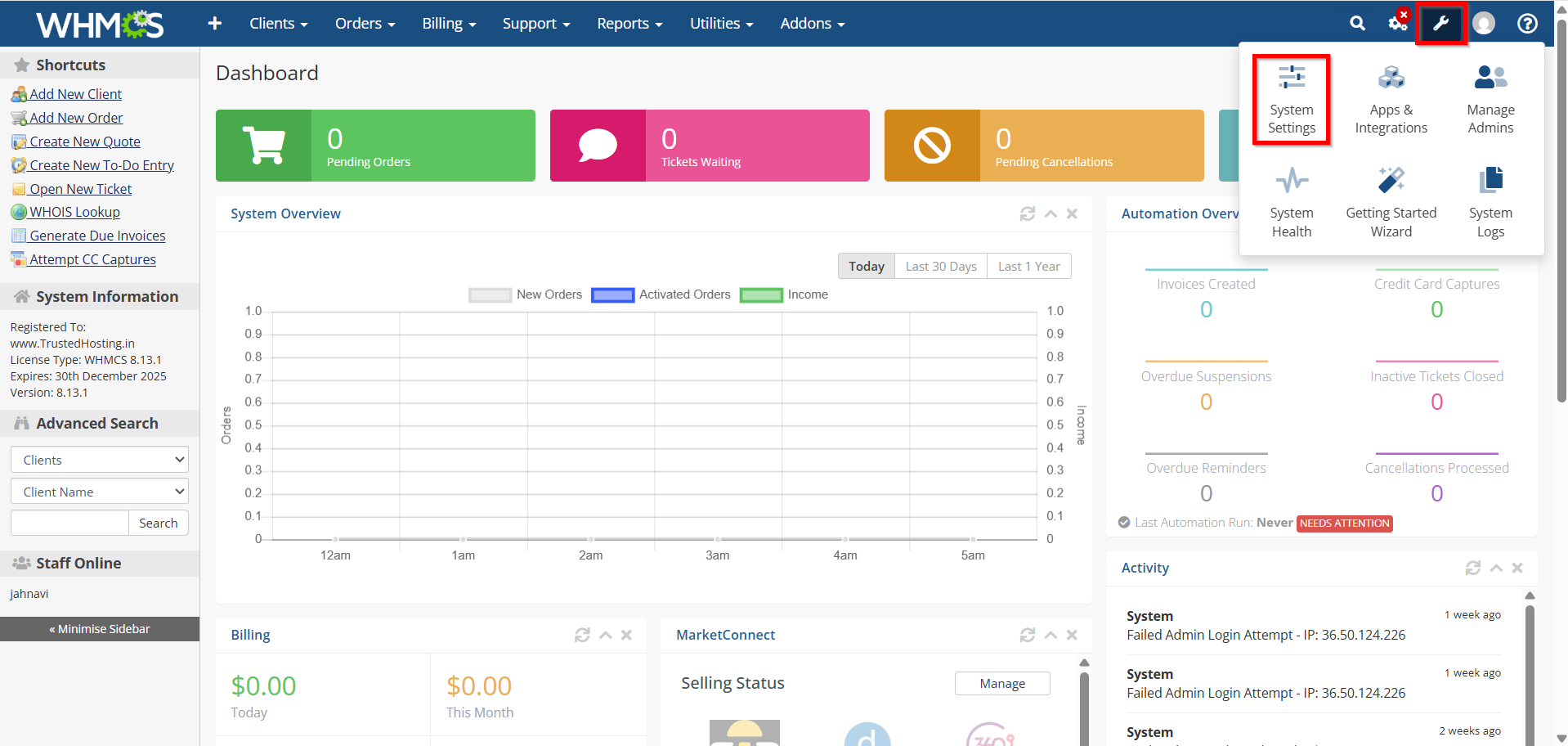
- Select System → General Settings

Step 3: Select the Invoices Tab
Click the Invoices tab to view all invoice-related configuration options.

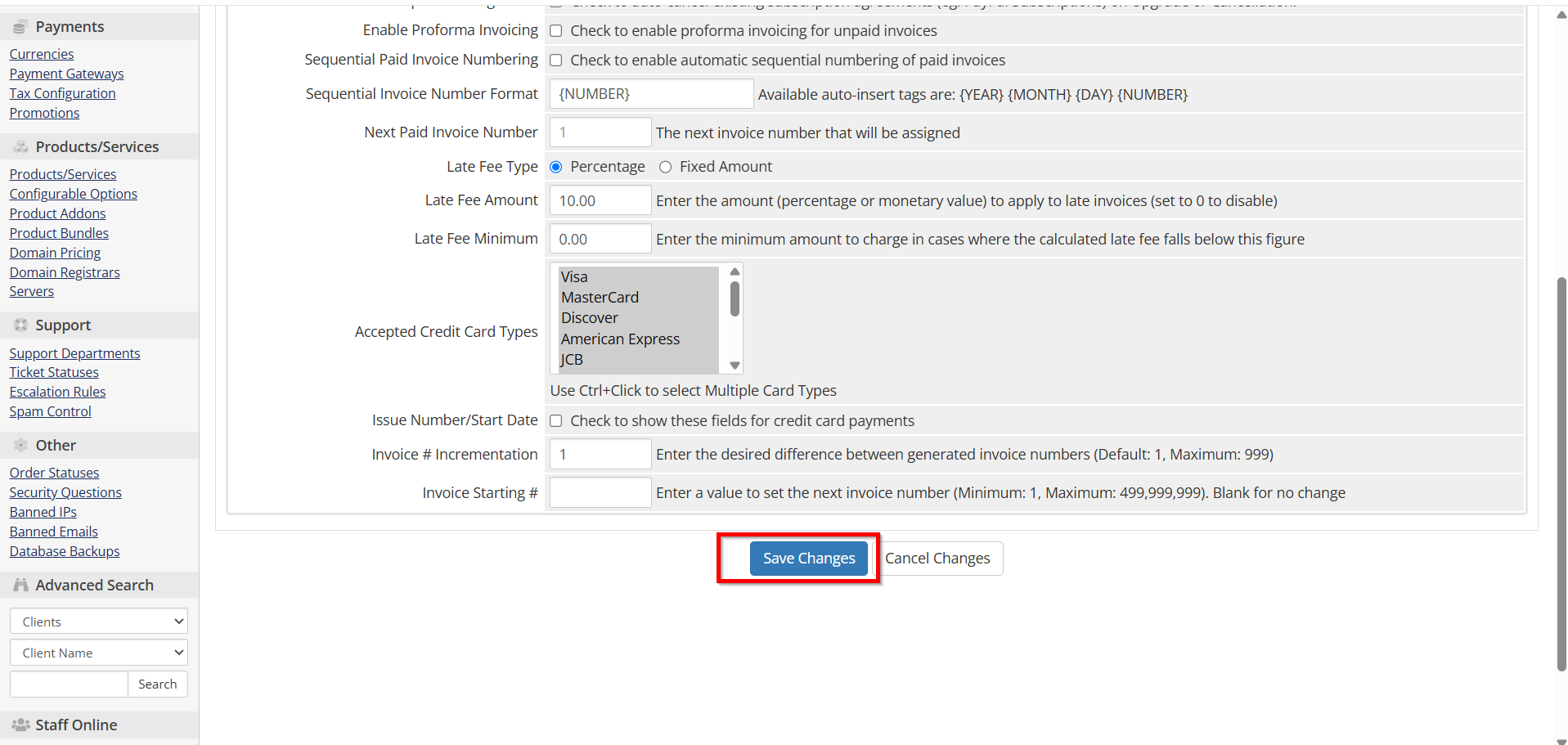
Configure Invoice Numbering
Invoice numbering helps maintain organized financial records.
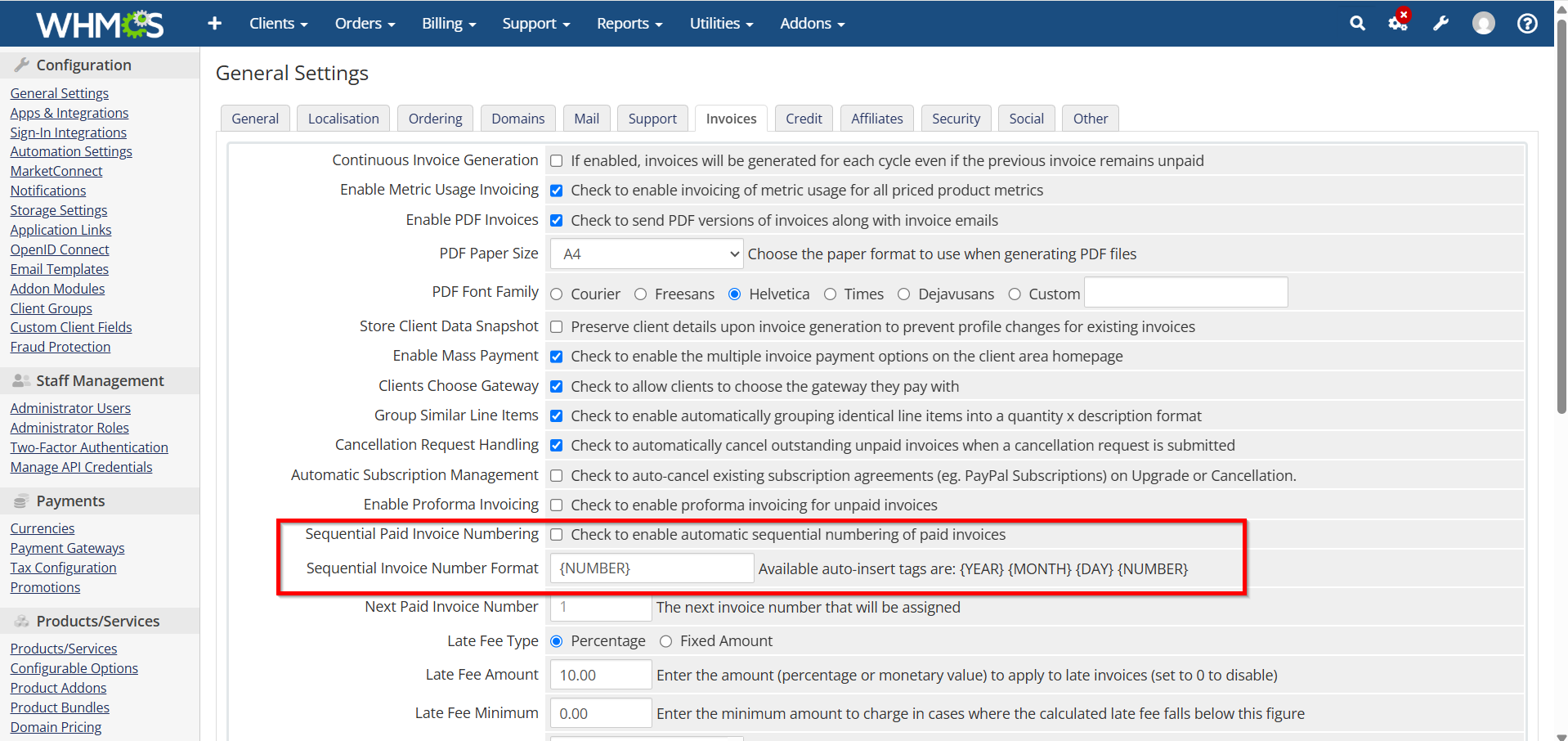
Enable Sequential Invoice Numbers
-
Locate the invoice numbering section.
-
Enable sequential invoice numbering.
-
Set your preferred invoice number format.
-
Define the starting invoice number if required.
Benefits
-
Easier accounting management
-
Professional invoice appearance
-
Simplified auditing and record keeping
Configure Invoice Generation Settings
WHMCS can automatically generate invoices before product or service renewal dates.
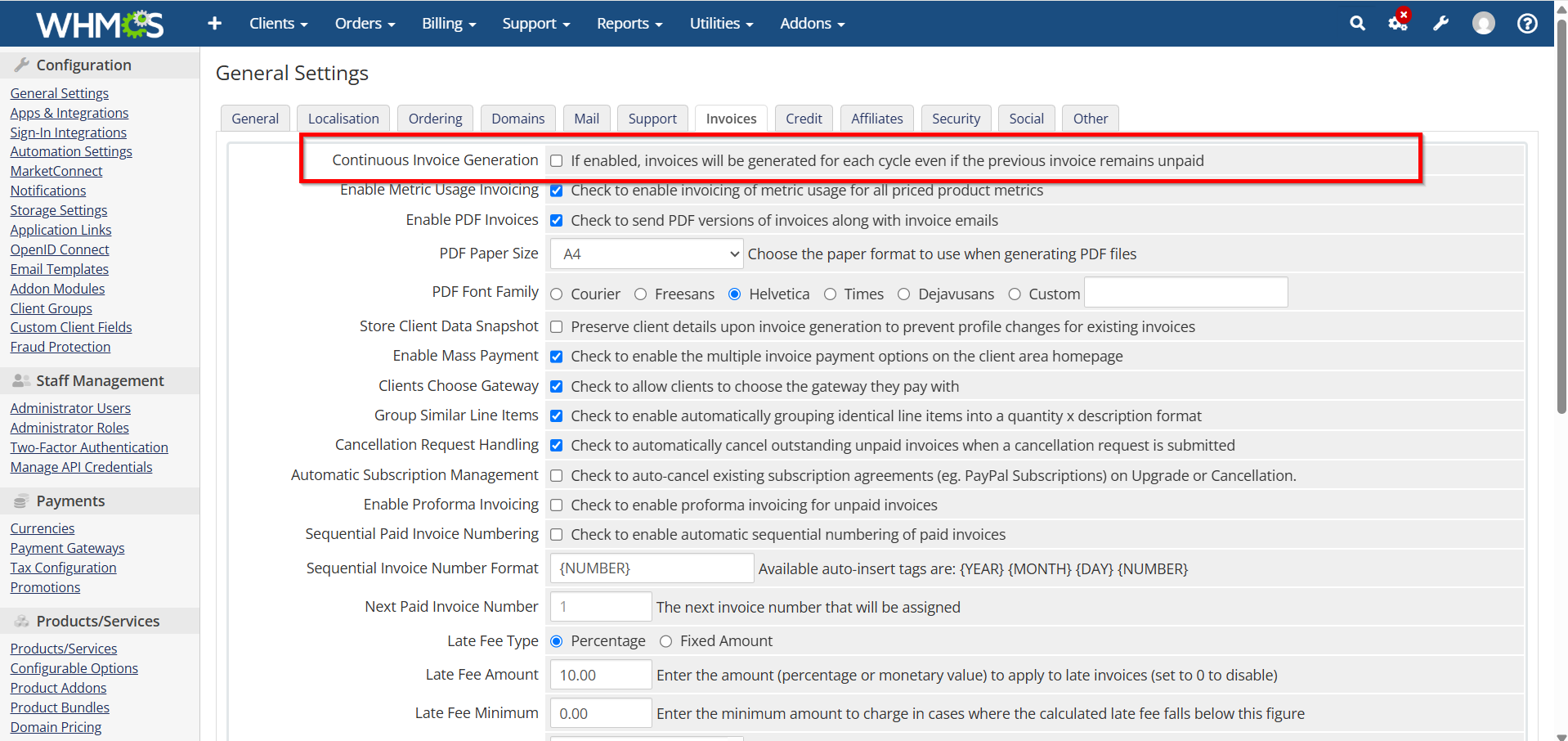
Set Invoice Generation Days
-
Find the Invoice Generation setting.
-
Specify the number of days before the due date when invoices should be created.
3.Save your changes.
Recommended Settings
-
Shared Hosting: 14 Days
-
VPS Hosting: 14–21 Days
-
Dedicated Servers: 21–30 Days
-
Enterprise Services: 30 Days
Early invoice generation gives clients sufficient time to make payments before services are due.
Configure Due Date Settings
Invoice due dates determine when payment is expected.
Steps
-
Locate invoice due date options.
-
Define payment terms.
-
Configure renewal invoice schedules.
-
Save settings.
Proper due date management helps maintain consistent cash flow.

Configure Late Fee Settings
Late fees encourage timely payments.
Steps
-
Open Automation Settings.
-
Locate Late Fee Configuration.
-
Enable late fees.
-
Set fee amount or percentage.
-
Define grace periods.

6. Save settings.

Example
-
Grace Period: 3 Days
-
Late Fee: ₹100 or 5%
This helps discourage delayed payments while maintaining fair billing practices.
Enable PDF Invoice Generation
PDF invoices provide clients with downloadable records.
Configuration Steps
-
Ensure PDF generation is enabled.
-
Customize invoice templates.
-
Add company branding.
-
Include tax information.
-
Save settings.

Advantages
-
Professional appearance
-
Easy record keeping
-
Better customer experience
-
Simplified accounting
Test Invoice Settings
Before going live:
-
Generate a test invoice.
-
Verify numbering format.
-
Confirm tax calculations.
-
Check payment links.
-
Test email delivery.
-
Download the PDF version.
-
Review the invoice layout.
Testing helps identify configuration issues before clients receive invoices.
Best Practices for Invoice Settings in WHMCS
-
Use sequential invoice numbers.
-
Generate invoices at least 14 days before due dates.
-
Enable automated payment reminders.
-
Configure taxes accurately.
-
Regularly review invoice templates.
-
Test billing workflows after updates.
-
Maintain professional branding.
-
Keep payment instructions clear.
Following these practices ensures reliable billing operations and a better customer experience.
Conclusion
Properly configuring Invoice Settings in WHMCS is essential for efficient billing, accurate financial records, and timely payment collection. By setting up invoice numbering, tax rules, payment reminders, PDF generation, and automated delivery options, you can create a professional billing system that improves both operational efficiency and customer satisfaction.
Regularly review your Invoice Settings in WHMCS to ensure they align with your business requirements and evolving compliance obligations.